|
|
>
|
|
How to use the plotter / protractor / compass?
|
|
|
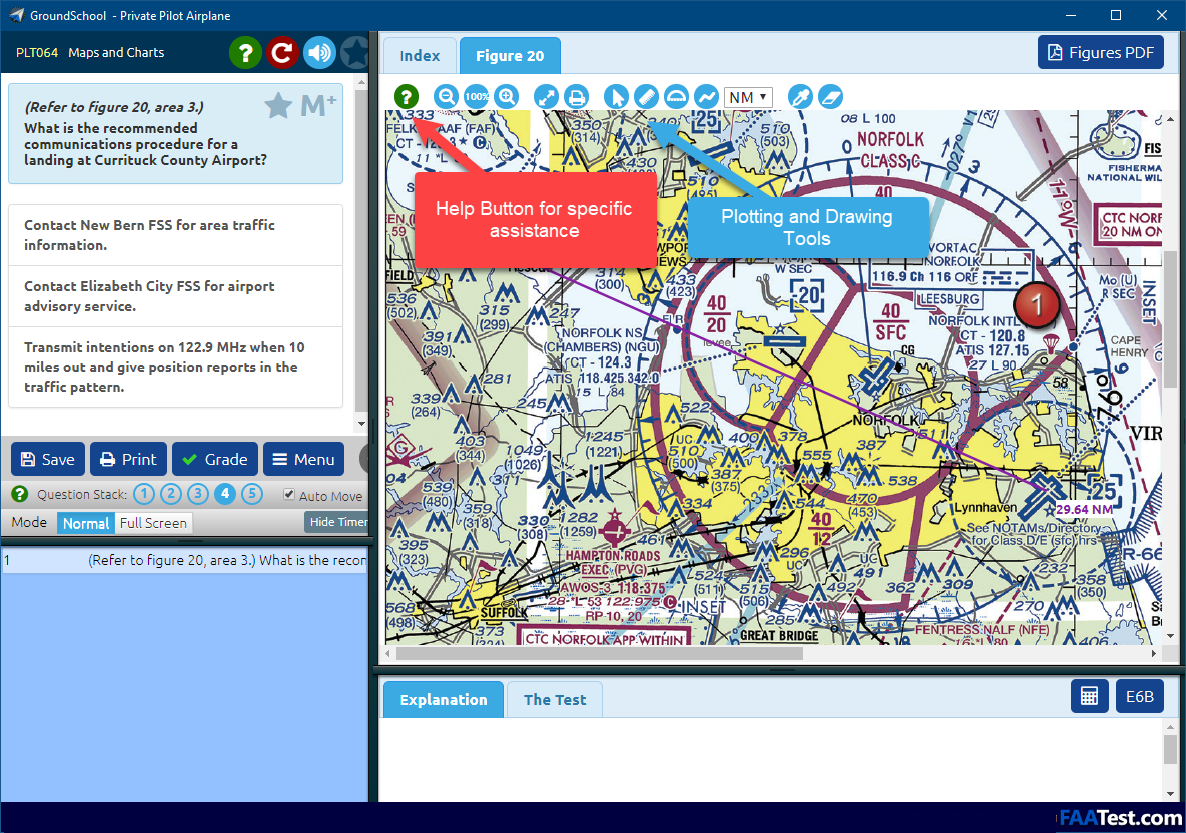
GroundSchool includes built-in plotting and drawing tools for working directly with certain FAA charts and figures.
The Plotter — also referred to as the Compass or Protractor — lets you measure distances and angles directly on supported charts. This can be particularly useful for navigation questions, chart work, and other problems where accurate measurement matters.
Please note: GroundSchool plotting and drawing tools are available on the PC and Mac versions only.
To learn how to use these tools, select the "?" or Help button located next to the drawing tools within GroundSchool itself. The built-in help provides detailed instructions for using the Plotter, Protractor, and other available drawing and annotation tools.
Because the instructions are built directly into the app, they will always correspond to the version of GroundSchool you are actually using.
|
|
|
|
|
|
|
|