Dauntless Aviation
 
Important Message
After over 3 years of keeping our prices on most products fixed, we are currently adjusting these slightly. This means that you might encounter a price on our website which varies a bit from that on the final checkout page. All of the systems should sync and be back to normal in a few hours. Please double check the price you will see at checkout as this will be the final price you will pay. Thank you for your understanding.




Dauntless Helpdesk
Helpdesk | Submit Issue | Knowledgebase | Search | Your Issues | Keycode/Login Help | Order Lookup | Update Your Info

FAQ > GroundSchool FAA Test Prep Audio
How to Restore Audio Purchases

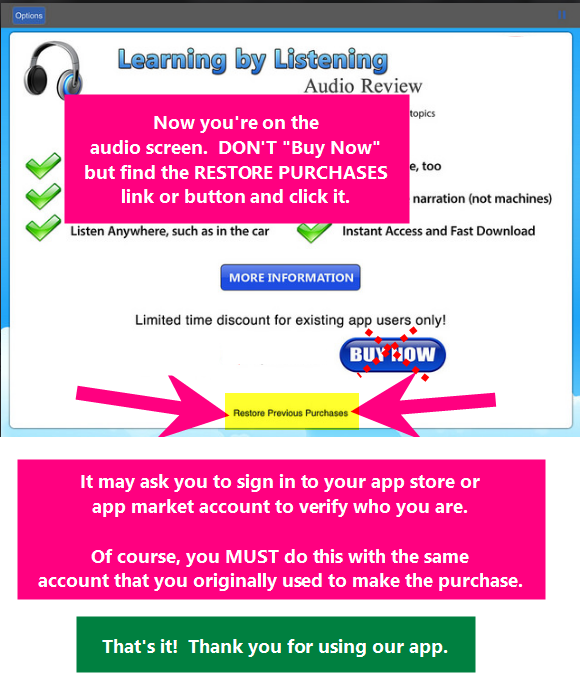
If you have purchased GroundSchool Audio for one of our apps and now have installed the app on another device or re-installed the app on the same device, please follow the steps below to restore your audio purchase without "paying again."

Please note that this only applies if your 'new' device is the same basic type as the 'old' device on which you had previously purchased the audio as an add-on for.

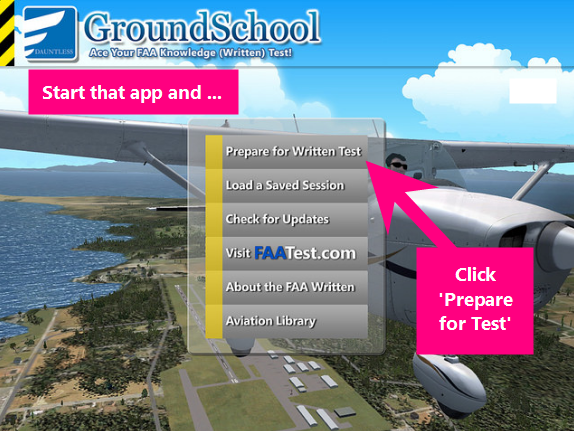
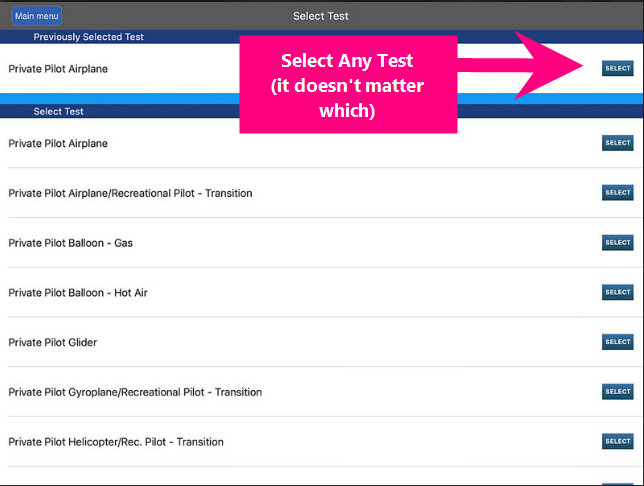
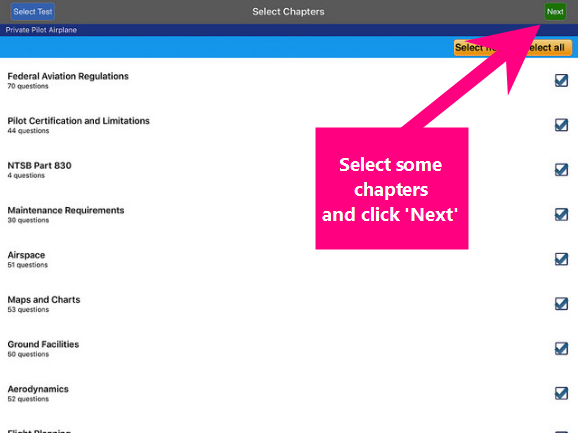
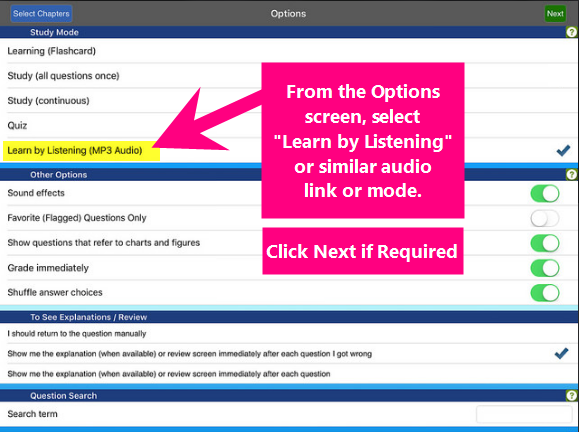
The following shows how to restore audio purchased on a new iOS (iPhone/iPad) device. The process for other platforms is similar. The key is that you should look for a "RESTORE PURCHASES" link or button in or near the audio page.