To use the software, tap on START and then PROGRAMS or PROGRAM FILES on your PDA. You should then be able to find the GroundSchool icon. Tap on the GroundSchool icon to start the software.
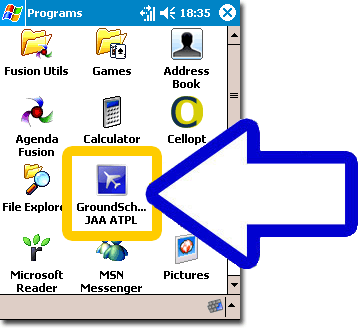
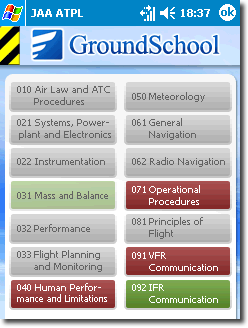
At this point, the test selction screen should come up. You should be able to see the
names of all JAA ATPL tests with their registered/missing status:
 |
| |
Exist |
Missing |
| Registered |
 |
 |
| Unregistered |
 |
 |
|
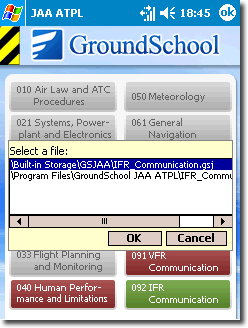
Press button for test name you wish to learn. In some cases there could be duplicated files choice dialog. Just select one of them to continue (also you could delete duplicated files later to save space on your pocketpc/storage card, please check "Using Data Files" page for more info)
After you select test, the main screen should come up. You should be able to see the name of the specific JAA ATPL test that you want to study for on that main screen.
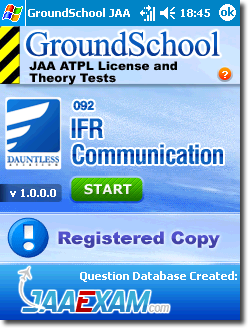
Tap on the ‘start’ button to begin. You will soon see screens where you can select study mode options and chapters to study. Please do experiment with these to find out what modes work best for you.
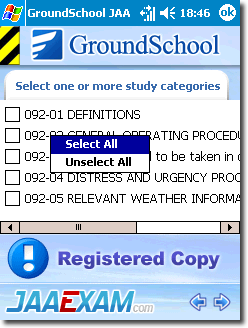 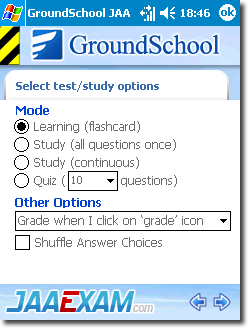
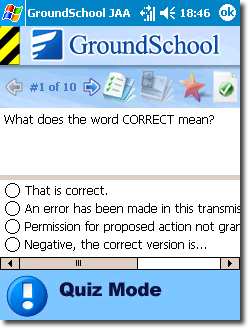
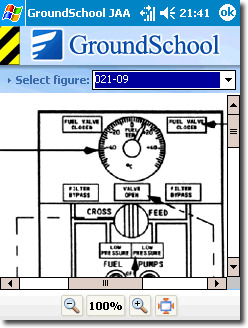
When you’re actually in the study screens, you will see that GroundSchool JAA ATPL for PDA provides you with the same rich explanations and content that you get in the full desktop version of the software. In this sense, GroundSchool JAA ATPL for PDA is a complete study tool allowing you to get access to all the content that you will need to take and pass your JAA ATPL test.
For most people the software should work smoothly. However, if you have problems, please remember these tips:
- If the software or your PDA freezes or hangs, you can always reset it and try again.
- If the software appears to be going too slowly, try selecting fewer study categories
- The software works well on PDAs that have ample free memory or storage space. Make sure that your PDA’s memory is not nearly full. This may involve deleting other software from your PDA in order to create the necessary space.
LACK OF FREE PROGRAM AND STORAGE MEMORY IS THE #1 REASON WHY PEOPLE FIND THIS SOFTWARE DOES NOT WORK PROPERLY OR GENERATES ERRORS. GroundSchool contains an ENORMOUS amount of information and thus needs to create a lot of temporary files to work properly. This means that even if there is enough room to install the software, you still need to have A LOT (it's hard to quantify exactly how much - it depends on the exact study modes and content you have chosen - more free memory is better) of free space for GroundSchool to run smoothly.
Once you have the software working, please spend some time to play with a bit. Try a few questions and read the explanations. Get a feel for how it works.
We’re hope that you will find that GroundSchool JAA ATPL for PDA works well for you. If you’re having problems, please feel free to contact us via our helpdesk. We are standing by to help.
www.dauntless-soft.com/helpdesk
|