Starting from Windows Mobile 5 it is not possible to reinstall / update software without uninstall it first. Even if you will try to install over existed installation it will be automatically uninstalled before installing new.
So if you see following image:
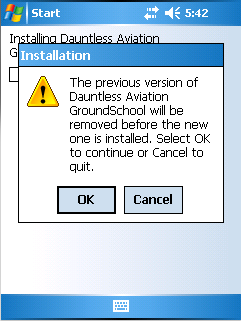
Then you will need to do some additional steps to be able use several preparation tests on your device.
As the first step you need to press Cancel button to stop installation process and keep data for currently installed preparation test(s).
Now follow steps below:
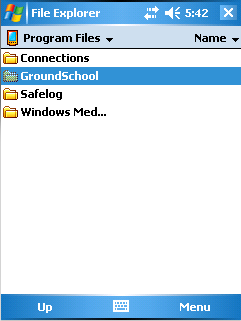
1. Open "File Explorer" and reach the GroundSchool for PocketPC folder on your PDA.
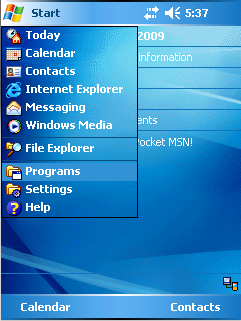
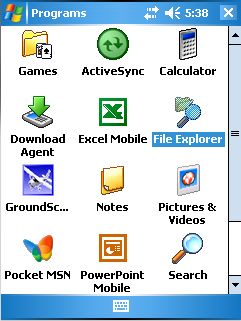
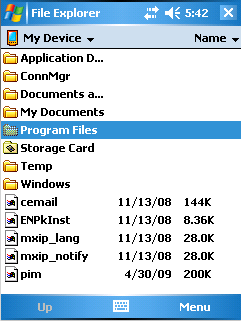
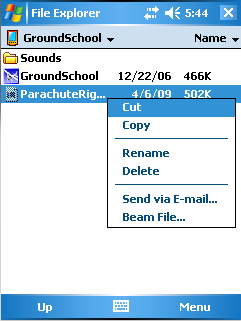
2. Locate test data file (it should have name of test you have installed before) and cut it to clipboard.
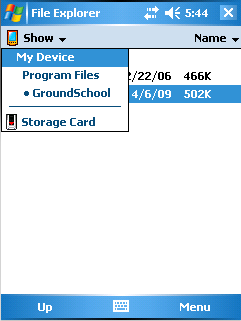
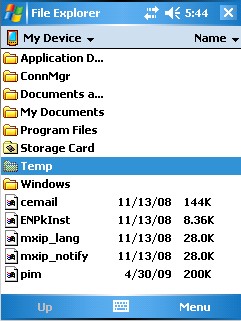
3. Navigate to Temp folder (located in the device root folder) and paste test data file there
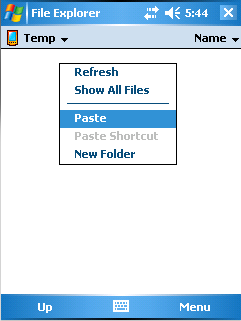
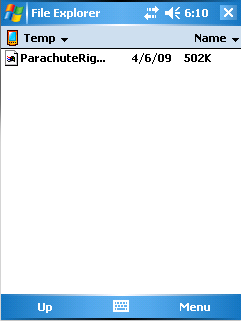
4. Now install GroundSchool for PocketPC with new test. Press "OK" when will be asked to uninstall previous version.
5. After installation will complete, navigate to Temp folder. Cut the test data file and paste it back to the GroundSchool folder.
DONE!
P.S. If your PDA has a storage card/flash disk/etc then you can try following alternative:
- Perform actions from the steps 1 and 2
- Navigate to your storage card and create folder called 'GroundSchool' there (also you can call it 'GS'). Paste test data file to the newly created folder.
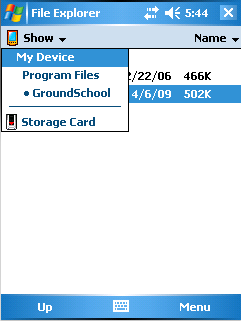
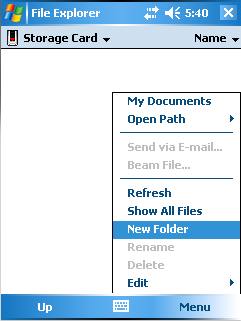
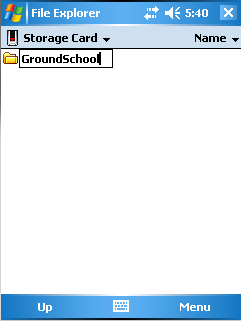
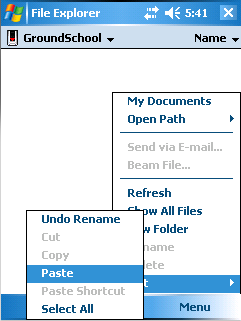
- Now just install GroundSchool for PocketPC with new test. Software will lookup automatically for the test data files in the GroundSchool folder on the storage card.
DONE!